Jewel Vampire Castle1.9.1
Publisher Description


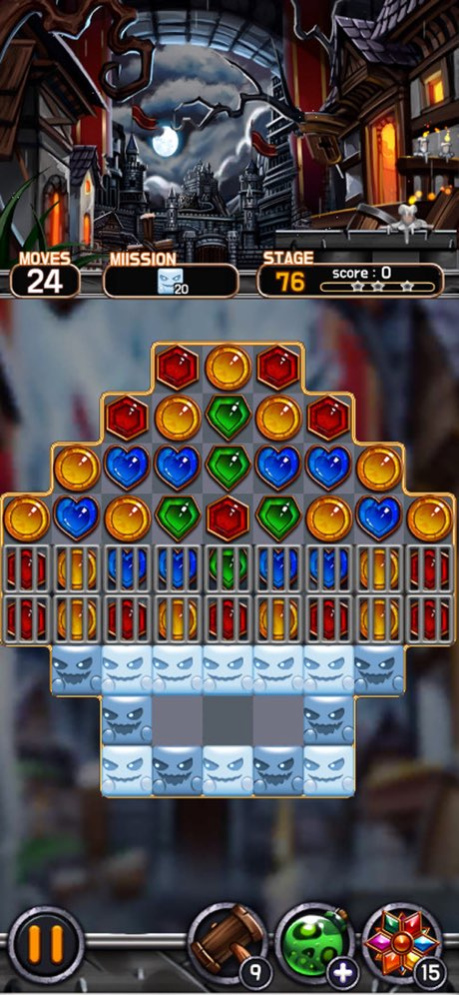

Jewel Vampire Castle
Here is the best match 3 puzzle game of all time.
Beautiful vampire Elina has been guarding the castle for hundreds of years.
Now we need to help Elina to protect the vampire castle!
We invite you to the challenging and exciting Vampire castle now!
[Play Method]
- The Best Match 3 Puzzle Game of 2021
- Dozens of different mission devices!
- Don't worry about Wi-Fi!
- Play Offline Without Data (Internet) Connections!
- Various missions and colorful graphics!
- Experience 600 different stages!
[Precision]
1. If in-game does not save, the data will be initialized when the application is deleted.
The data is also initialized when the device is replaced.
2. It's a free app, but it includes in-game currency, items, and paid products such as removing advertisements.
3. Front, banner, and visual advertising.
Please contact me via email if there is a problem!
We'll help you quickly!
v2rstd.service@gmail.com
Version History CMP Updated. 1.9.1 01/04/2024 added stage 1.9.0 09/15/2023 - Map Update
- Christmas Theme Removed 1.8.0 01/27/2023 Christmas Update 1.7.0 12/05/2022 - added map update 1.6.0 05/02/2022 bug fix 1.5.0 10/01/2021 Stage Update 1.4.0 09/10/2021 stage update 1.3.0 06/25/2021 stage update 1.2.0 04/22/2021 bug fix. 1.1.0 03/19/2021 - Level 40 modification completed 1.0.1 03/04/2021 1.0.0 02/22/2021
About Jewel Vampire Castle
The company that develops Jewel Vampire Castle is V2R. The latest version released by its developer is 1.9.1.
To install Jewel Vampire Castle on your iOS device, just click the green Continue To App button above to start the installation process. The app is listed on our website since 2026-10-07 and was downloaded 1 times. We have already checked if the download link is safe, however for your own protection we recommend that you scan the downloaded app with your antivirus. Your antivirus may detect the Jewel Vampire Castle as malware if the download link is broken.
How to install Jewel Vampire Castle on your iOS device:
- Click on the Continue To App button on our website. This will redirect you to the App Store.
- Once the Jewel Vampire Castle is shown in the iTunes listing of your iOS device, you can start its download and installation. Tap on the GET button to the right of the app to start downloading it.
- If you are not logged-in the iOS appstore app, you'll be prompted for your your Apple ID and/or password.
- After Jewel Vampire Castle is downloaded, you'll see an INSTALL button to the right. Tap on it to start the actual installation of the iOS app.
- Once installation is finished you can tap on the OPEN button to start it. Its icon will also be added to your device home screen.
Program Details
System requirements
Download information
Pricing
Version History
version 1.9.1
posted on 2026-10-07
Version History CMP Updated. 1.9.1 01/04/2024 added stage 1.9.0 09/15/2023 - Map Update
- Christmas Theme Removed 1.8.0 01/27/2023 Christmas Update 1.7.0 12/05/2022 - added map update 1.6.0 05/02/2022 bug fix 1.5.0 10/01/2021 Stage Update 1.4.0 09/10/2021 stage update 1.3.0 06/25/2021 stage update 1.2.0 04/22/2021 bug fix. 1.1.0 03/19/2021 - Level 40 modification completed 1.0.1 03/04/2021 1.0.0 02/22/2021
version 1.9.1
posted on 2024-01-04
CMP Updated.
version 1.9.1
posted on 2024-01-04
Jan 4, 2024
Version 1.9.1
CMP Updated.
version 1.9.0
posted on 2023-09-15
Sep 15, 2023
Version 1.9.0
added stage
version 1.8.0
posted on 2023-01-27
Jan 27, 2023
Version 1.8.0
- Map Update
- Christmas Theme Removed
version 1.6.0
posted on 2022-05-02
May 2, 2022 Version 1.6.0
- added map update
version 1.5.0
posted on 2021-10-01
Oct 1, 2021 Version 1.5.0
bug fix
